I shipped an iOS app from my phone while on vacation
A travel-log app went from a text-message idea to a TestFlight build in eight days, most of it while I was away from a desk. The build itself was the easy part. The plumbing that made it possible was the actual work.
The text I sent
A little over a week ago I was on vacation in Boston, sitting in a hotel lobby waiting on Kelly to be ready, scrolling through the photos I’d already taken from the week. Fenway Park. The Esplanade. Dinner spots in the North End. I wanted some way to actually log where I’d been, with the photos as the anchor. Apple’s Photos app knows the GPS for every shot but doesn’t do anything interesting with that data — you can’t browse by trip, by stadium, by trail. You just have a long scroll of square thumbnails.
So I picked up the phone and texted my AI assistant.
Build me a SwiftUI prototype of an iOS travel-log app. Watches the camera roll for new GPS-tagged photos, surfaces a “log this place?” card when one’s taken near a recognizable POI, and builds a World → Country → Region → City → POI journal of accepted entries. Three demo videos. SwiftUI, native, no third-party SDKs.
The assistant is a Claude Code instance running on a Mac Mini in my basement, talking to me through iMessage. I call it ONE Claude. I’ve been building it on and off for the better part of a year. It runs my projects when I’m not at a keyboard.
The two of us tossed ideas back and forth — where to get the GPS from, whether to use Apple’s MapKit or a third-party POI service for the place lookup, how to handle photos that have no decent landmark within range. By the end of the exchange, ONE Claude had drafted a build brief I could approve in a single text. A child agent session spun up, scaffolded the app, ran it in the iOS Simulator, recorded three demo videos, and pushed everything to a fresh GitHub repo.
Four hours after I sent that first text, the demos were waiting:
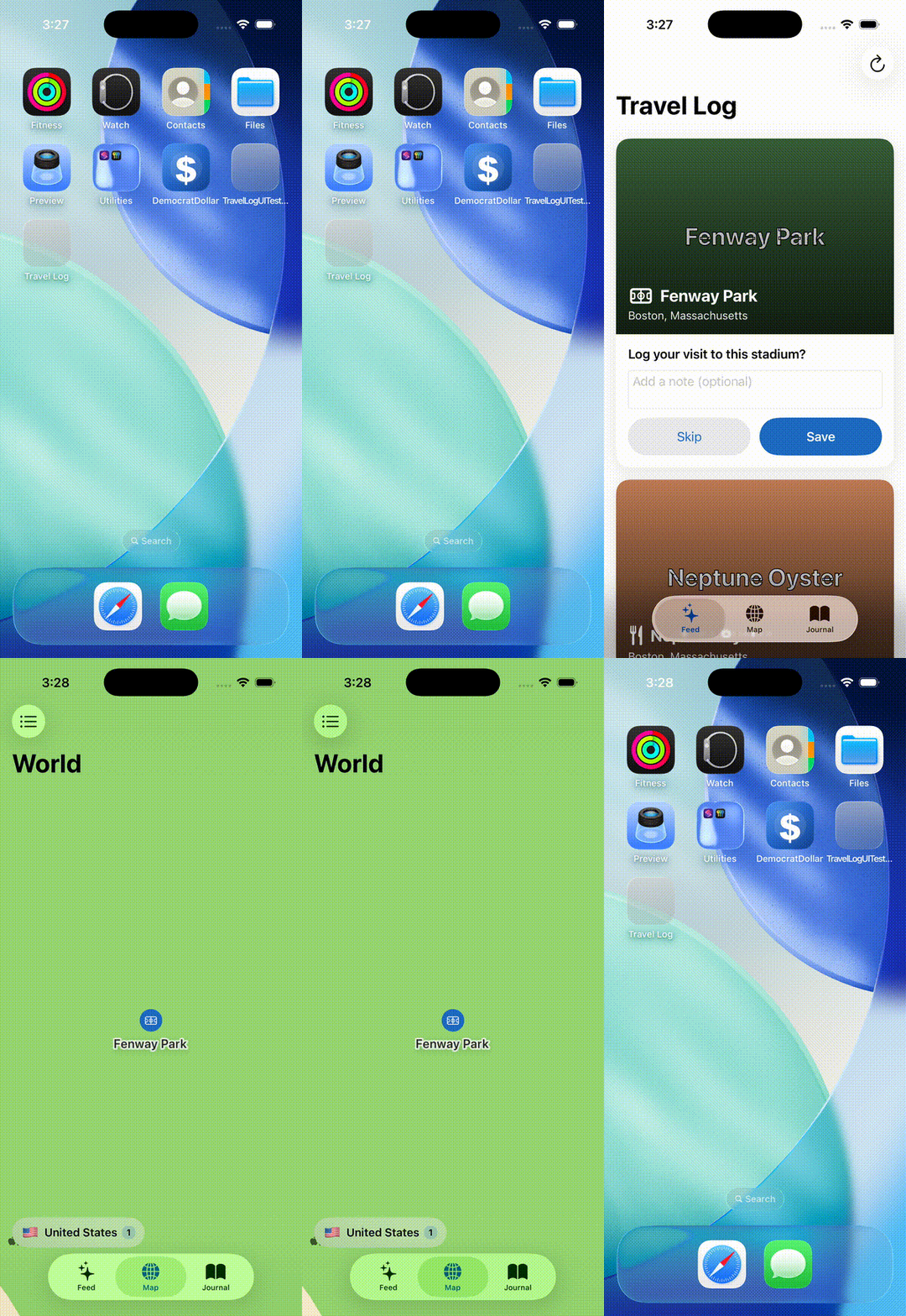 Open the app fresh, see a Fenway Park card surface for a new camera-roll photo, tap Add to log, watch it land on the world map.
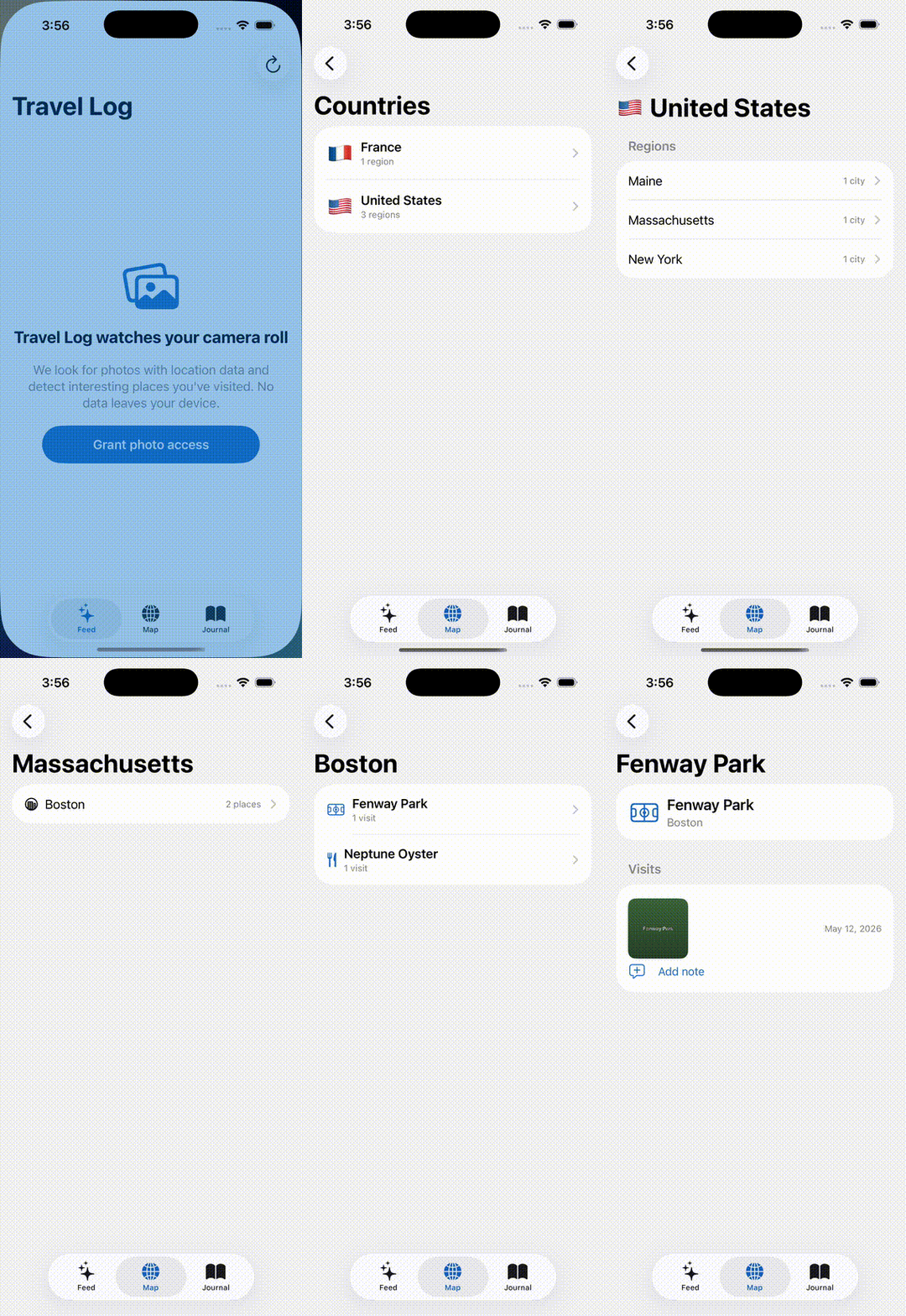 World map → United States → Massachusetts → Boston → Fenway Park → photos + journal entries.
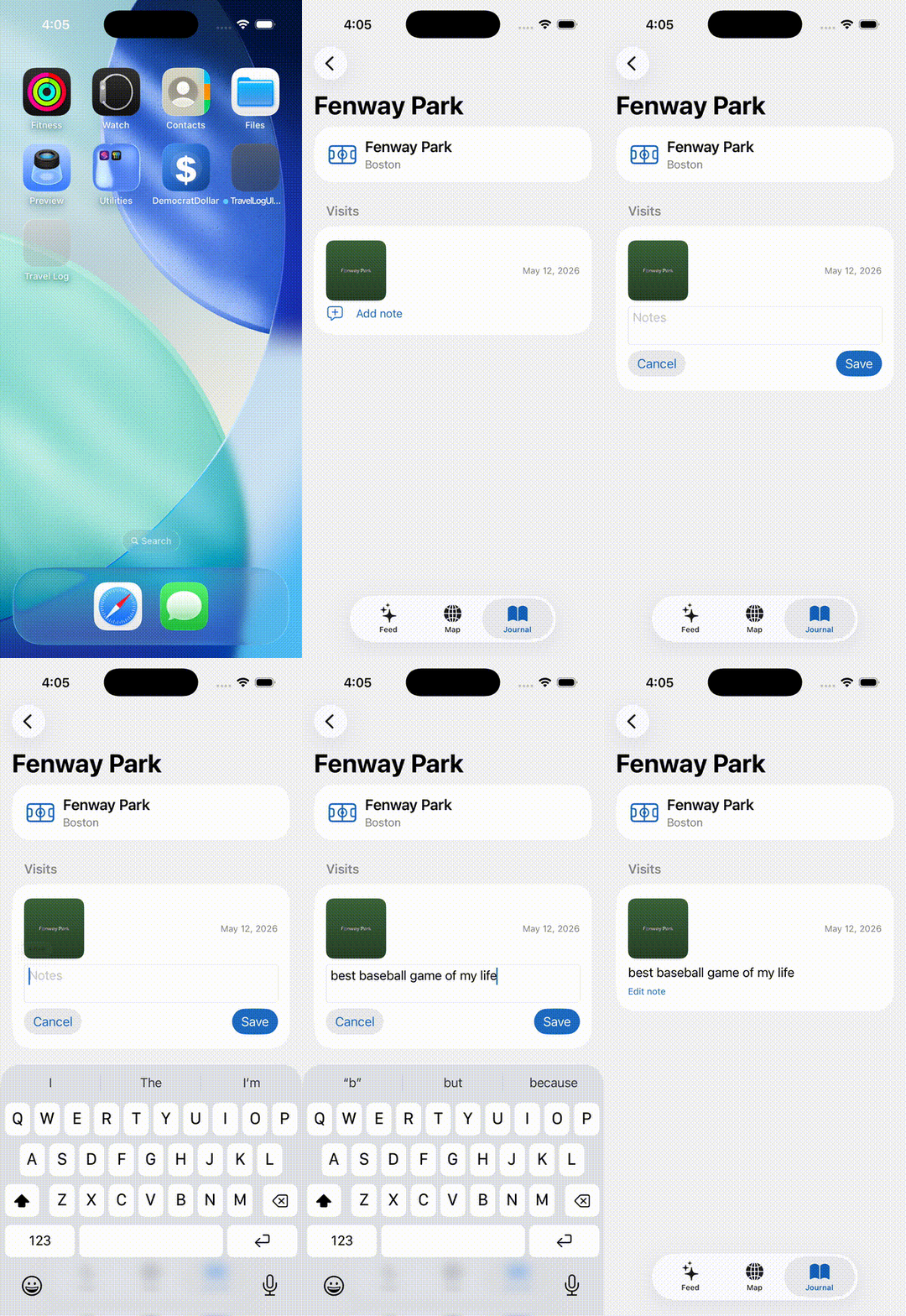 Open a logged visit, tap Add note, type a memory, save.
The first of those was supposed to text itself to my phone right after the build finished. It didn’t, because of a separate bug I didn’t know about yet.
I went back to vacation.
The week
The rest of vacation, the app — Whereabouts — sat where it was. Two GitHub commits (113774b: scaffold magic-moment SwiftUI prototype, 21d5062: drill-down + journal demos) were the entire codebase. ONE Claude kept the lights on for everything else: nightly code reviews of the other fifteen active projects, a personal journal agent that pinged me when my teams were playing, client work scripts, threads with a CPG client.
Nothing demanded my attention. That was the point.
The day after I got back from vacation
By lunch, the app was in TestFlight.
The plan was four phases. Replace the keyword-based POI matcher with Apple’s Vision classifier. Fall back to Foursquare for thin-coverage areas. Wire up background photo monitoring with local notifications so the app would be ambient instead of on-demand. Ship the result to TestFlight as build 1.
I approved it over coffee. The build agent spun back up.
- 8:00 AM: Phase 2a done. On-device Vision classifier wired into the POI lookup. Tested against a stadium image (skipped due to a known iOS-26 simulator quirk; would verify on real device).
- 9:00 AM: Phase 2b. I pasted a Foursquare API key into the chat. The agent live-tested the fallback against an Acadia trailhead at 44.3268°N, 68.1893°W. MapKit returned nil. Foursquare returned “Waldron Bates Commemorative Plaque” at 244 meters away. Cache hit on the second request. Pass.
- 10:00 AM: Phase 2c. Background photo observer, refresh tasks, local notifications. 27 tests passing.
- 12:18 PM: Phase 2d. App Store Connect rejected the first API key — the agent had asked me for an App Manager role; the cloud-managed Distribution cert step needs Admin. Three-minute interruption to revoke and regenerate. The bundle ID
com.whereabouts.appturned out to belong to someone else’s team, so the agent autonomously switched tocom.bradmccloskey.whereabouts. The app name “Whereabouts” was also taken in the App Store catalog; I picked “Whereabouts Log” for the catalog entry. (The home-screen icon still says “Whereabouts” — those are different fields.) - 2:00 PM: TestFlight build 1 in my email. I installed it.
Most of the exchanges that morning were me unblocking Apple’s various human-required side quests — paste a key, click “create app”, pick a different name. The actual building was happening in the basement.
What broke
The TestFlight build was, of course, not in fact working great.
I ran the manual library scan on my photos and watched roughly nothing happen. I exported the in-app debug log — a feature I’d asked the agent to build into an earlier phase specifically because I knew I’d need it eventually — and pasted the contents into the chat. The orchestrator analyzed the log and texted me the answer:
8,907 of 9,017 photos failed in 1 minute 54 seconds. Apple’s CLGeocoder is rate-limited to roughly one request per second sustained. The agent’s manual scan was firing 140 per second.
A token-bucket throttle, an in-memory cache keyed by a 1.1km grid, and exponential backoff on the specific error code went out as Phase 4. Build 4 landed in TestFlight before dinner.
There’s a separate thing I didn’t think I’d find. macOS 26 (Tahoe) silently broke AppleScript-based iMessage file attachments around late February. Every file attachment the orchestrator had tried to send me since then — including that first Whereabouts demo GIF on Day 1 — had been failing with transfer_state=6 in the local SQLite chat database. The text path still worked. We noticed only because I asked why a PDF hadn’t arrived. The fix was a Cloudflare-tunneled /share/ folder; the orchestrator drops files there now and texts me the URL.
The pattern under the pattern
The AI part of all this was not the hard part. The hard part — the unsexy part — was the plumbing.
The SMS bridge that routes inbound iMessages into the right tmux session by sender-tag prefix. The Cloudflare tunnel for serving files when iMessage attachments don’t. The signal protocol that lets a child agent surface a specific blocker with the right URL and credential format already filled in, so I can act without context-switching to read documentation. The persistent memory that survives across sessions so we don’t restart the conversation from zero every morning. The launchd plists that respawn the brain after a power outage.
That’s not a thing you buy. It’s a thing you build, slowly. The model alone — Claude, GPT, Gemini, take your pick — wouldn’t have produced any of this on its own. None of it. The model is the engine. The plumbing is the car.
What I’m watching
I don’t quite know what to do with this yet.
Whereabouts isn’t going to be a product. It’s a personal app for one user, me, with five photos worth showing on the home screen. The interesting question isn’t whether the app is good. It’s whether the workflow is.
Eight days. Four TestFlight builds. No moments where I needed to be at a desk to unblock something a phone couldn’t reach.
I keep waiting for the catch. There were rough spots — the rate limit, the macOS regression, the four API-key-and-app-record side quests that interrupted what could have been a fully unattended morning. None of them required me to write code. Some of them needed me to be physically near a laptop, but increasingly fewer than I would have guessed.
I’m not sure where this ends, or whether the personal-CTO-on-a-Mac-Mini pattern means anything for anyone besides me. But if a random Tuesday in May 2026 looked like this, I’m curious what the rest of the year does.
I’m watching.